Card reviews
Clicking Review due cards on a deck starts a study session.

A study session is divided into batches of 10 or 20 cards. You can change the batch size in your account settings.
Ratings
When you reveal the back side of a card, you're asked to rate how well you remembered the information. The rating you give determines when you'll see the card again.
- Forgot: You couldn't remember the information, or only part of it.
- Hard: You remembered the information, but found it difficult.
- Good: You remembered the information. This is the default positive rating.
- Easy: You remembered the information easily.
Giving accurate ratings helps Recall schedule the next review at the right time. Keep in mind that if you didn't remember the information, the only valid rating is Forgot.
Revert a rating
You can revert the latest rating by clicking in the top-right corner, then . On mobile, there is a button at the bottom left of the screen.
Older ratings can't be modified.
Keyboard shortcuts during reviews
On desktop, you can use the following shortcuts to go through reviews faster.
| Shortcut | Action |
|---|---|
| Space | Show answer |
| 1 | Forgot |
| 2 | Hard |
| 3 or Space | Good |
| 4 | Easy |
| Ctrl + Z (Mac: Cmd + Z) | Revert latest rating |
| I | Open Card Insights panel |
Card Insights
When a card is revealed, a light bulb button appears in the top-right corner. Clicking it opens the Card Insights panel.
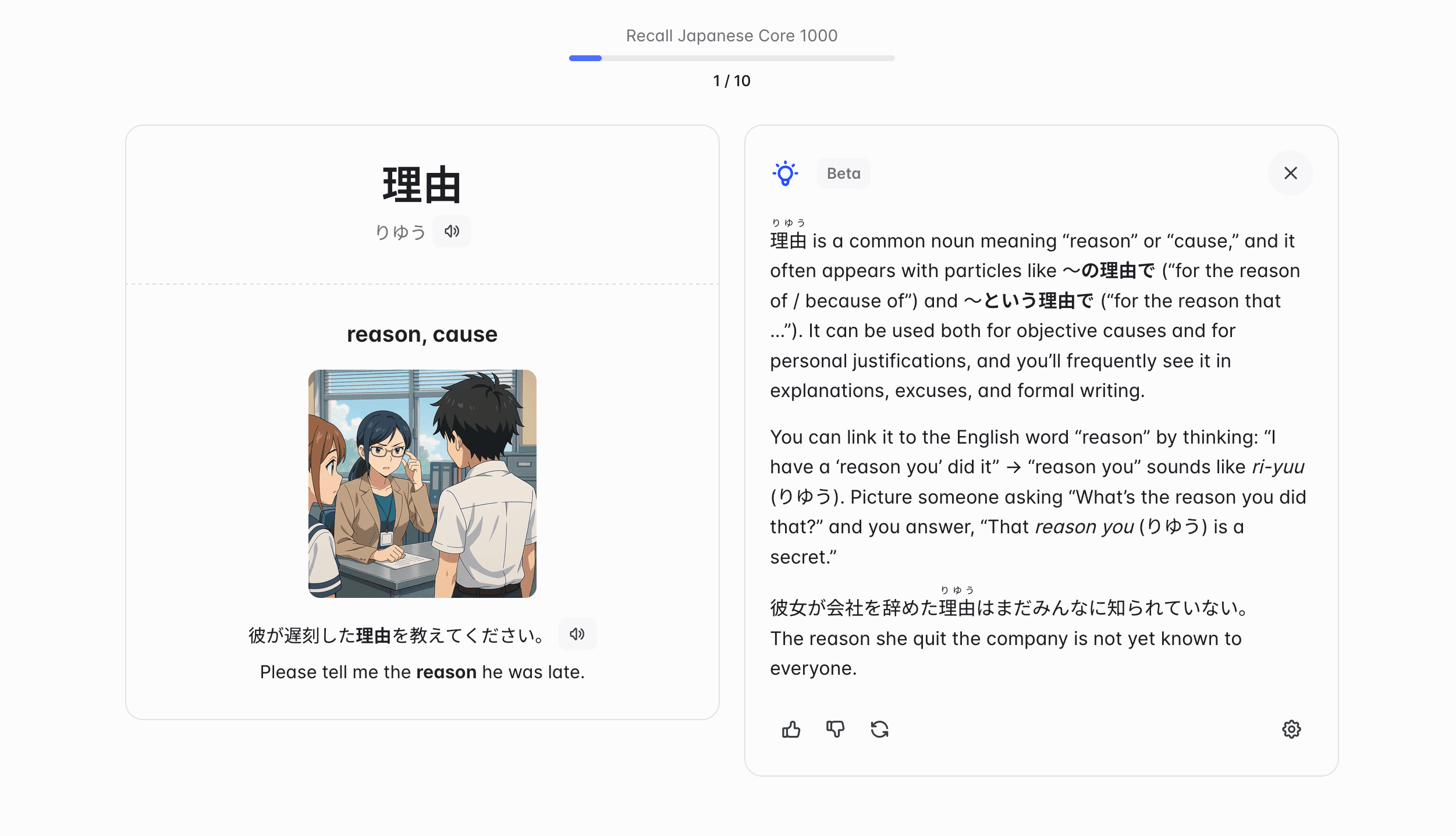
Click the button in the bottom-right corner of the panel to open the Card Insights settings. You can choose which kinds of content you want to see in the insights:
- Additional information: Information complementary to the card content, to help you connect the dots.
- Mnemonics: A mnemonic or another creative way to remember the card content.
- Example content: An example sentence in the language you're learning, with the translation. This option is only offered in language-learning decks.
The first two are enabled by default in every deck.
Card Insights are generated with OpenAI's gpt-6-sol model.